When you're saving a document, the “Create new/Update existing Linked Document” checkbox will appear on the Save window.
|
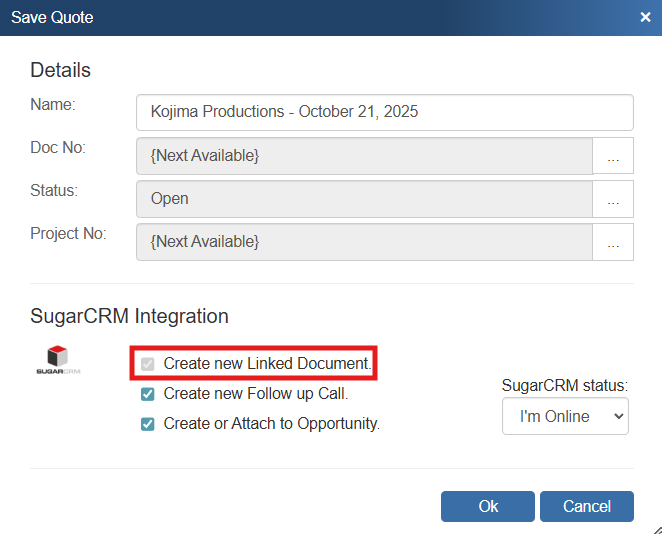
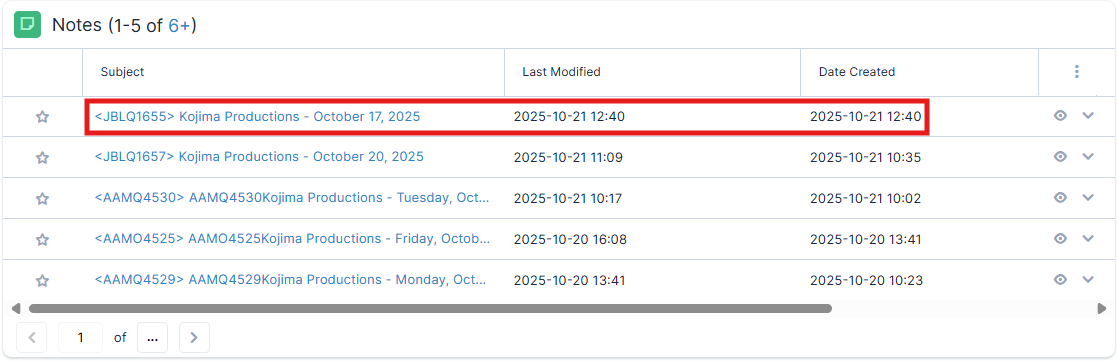
If you check this option, a note attachment record that refers to the document you are saving will be created or updated under the contact's Notes section in SugarCRM.
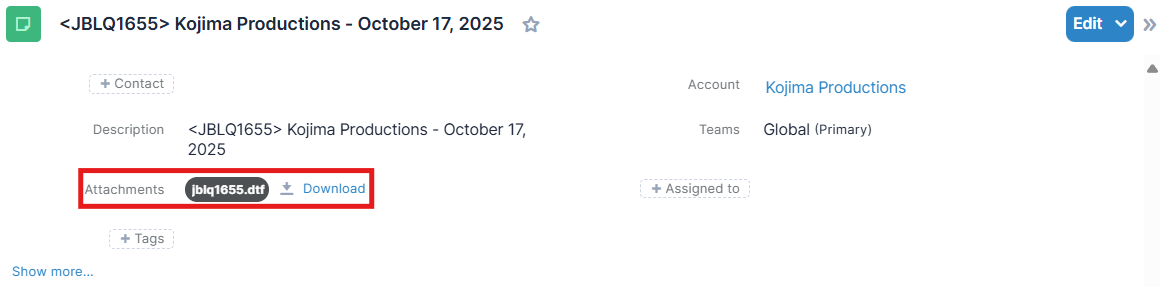
When using SugarCRM, you can choose to open this attachment by clicking on the “Subject” link under the Notes heading and then clicking the “Attachment” link in the window that displays. This will launch QuoteWerks and open the document.